CAD drawing plays a critical role in construction and design workflows. From architectural layouts to construction drawings, every line, dimension, and annotation influences how a project is built on site. Yet, even small CAD drafting mistakes can trigger costly errors, rework, delays, and coordination issues.
Understanding CAD drawing mistakes and knowing how to prevent them is essential for architects, engineers, builders, and contractors who rely on accurate drawings to execute projects efficiently. This guide explains the most common CAD drafting errors, why they happen, and how to avoid them using proven drafting best practices.
Why CAD Drawing Accuracy Matters in Construction Projects
Construction projects depend on clear and precise documentation. CAD drawings act as the communication bridge between design intent and site execution. When drawings contain inconsistencies, missing information, or coordination gaps, those issues often surface during construction when fixes are expensive and time-consuming.
Many CAD drafting errors in construction are not caused by software limitations but by workflow gaps, rushed timelines, or a lack of standardization. Addressing these issues early improves accuracy, reduces rework, and supports smoother project delivery.

Mistake 1: Inconsistent Layering and Naming Conventions
One of the most frequent CAD drawing problems is poor layer management. Inconsistent layer names, unclear color coding, or overloaded layers make drawings difficult to read and interpret.
Impact on Projects
- Confusion during coordination
- Increased risk of missing elements
- Errors during revisions and updates
How to Avoid It
Use standardized layer naming conventions aligned with drafting standards. Clear layer organization improves readability and allows multiple teams to work on the same files without confusion. This is a key CAD drawing best practice for accuracy.
Mistake 2: Missing or Incorrect Dimensions
Dimensions guide construction teams on-site. Missing, duplicated, or incorrect dimensions are among the most damaging CAD drawing errors.
Impact on Projects
- Incorrect material placement
- Costly rework and site corrections
- Delays caused by RFIs
How to Avoid It
Always cross-check dimensions against design intent and reference points. Use consistent dimension styles and verify units. Understanding how to avoid CAD drafting mistakes starts with disciplined dimension review.
Mistake 3: Poor Coordination Between Disciplines
Lack of coordination between architectural, structural, and MEP drawings is a major cause of CAD drawing errors in construction. When drawings are created in isolation, conflicts often go unnoticed until construction begins.
Impact on Projects
- Clashes between systems
- Design conflicts during execution
- Increased change orders
How to Avoid It
Ensure coordination reviews are part of the drafting process. Overlay drawings and cross-check layouts to catch conflicts early. Strong coordination improves design accuracy and reduces construction risks.
Mistake 4: Overlooking Drafting Standards and Compliance
Ignoring industry drafting standards leads to drawings that fail approvals or confuse stakeholders. This is a common issue in mistakes in AutoCAD drafting, especially when teams lack standardized guidelines.
Impact on Projects
- Permit approval delays
- Rejected submissions
- Inconsistent documentation quality
How to Avoid It
Follow established drafting standards and project-specific requirements. Consistent compliance ensures drawings meet regulatory and client expectations while improving overall documentation quality.
Mistake 5: Excessive or Insufficient Detail
Adding too much detail can clutter drawings, while too little detail leaves critical information missing. Both extremes result in CAD drawing issues and solutions being addressed too late.
Impact on Projects
- Misinterpretation on the site
- Increased clarification requests
- Inefficient construction workflows
How to Avoid It
Match the level of detail to the project stage. Early design drawings require clarity, while construction drawings demand precision. Understanding when to use the right level of detail improves drawing usability.
Mistake 6: Poor File Management and Version Control
Using outdated files or overwriting revisions is a common but avoidable CAD drafting mistake.
Impact on Projects
- Construction based on outdated information
- Conflicting drawing versions
- Coordination breakdowns
How to Avoid It
Implement clear version control practices. Label revisions properly and ensure teams work from the latest approved files. Proper file management reduces CAD drafting problems significantly.
Mistake 7: Inaccurate Scaling and Units
Incorrect scaling or unit mismatches can compromise entire drawings. This issue often appears in mistakes in CAD drawings for construction when files are reused without verification.
Impact on Projects
- Incorrect measurements
- Material quantity errors
- Design inconsistencies
How to Avoid It
Always verify drawing scales and units before finalizing files. Consistent scaling ensures construction teams can rely on drawings without constant clarification.
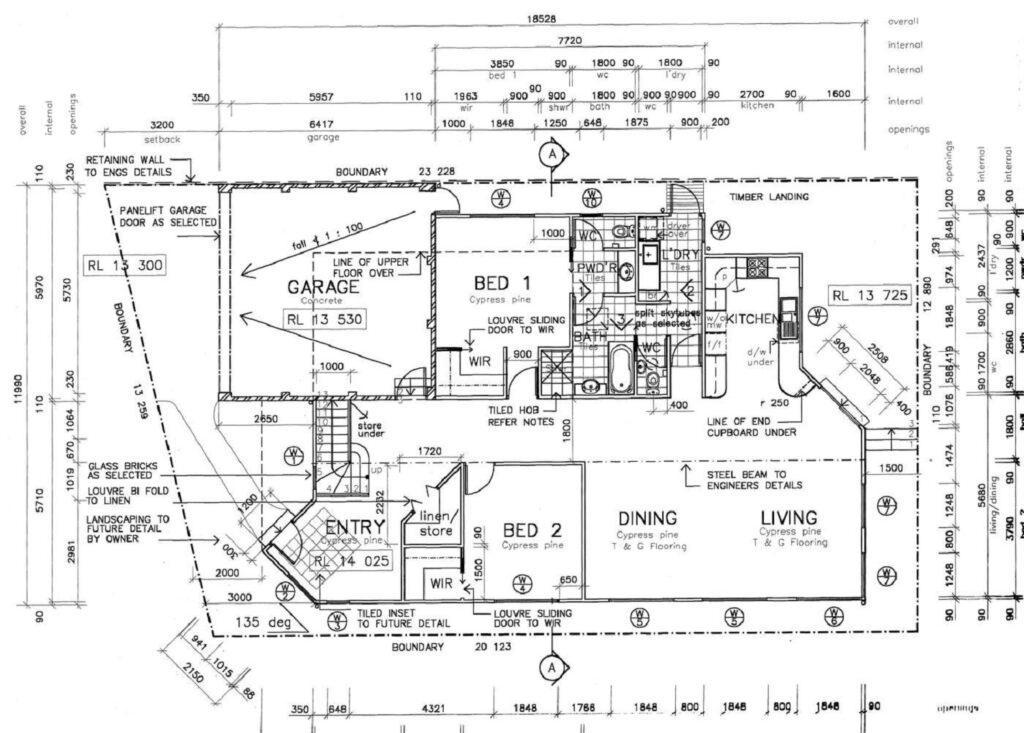
Mistake 8: Ignoring Annotation and Labeling Clarity
Annotations communicate intent. Poor labeling, unclear notes, or missing references are common CAD drafting errors that reduce drawing clarity.
Impact on Projects
- Misinterpretation by contractors
- Increased RFIs
- Construction delays
How to Avoid It
Use clear, concise annotations aligned with drafting standards. Consistent labeling improves communication across all project stakeholders.
Mistake 9: Rushing the Drafting Process
Tight deadlines often lead to overlooked checks. Rushed drafting increases the likelihood of CAD drawing mistakes to avoid being missed.
Impact on Projects
- Reduced accuracy
- More revisions later
- Higher project costs
How to Avoid It
Build review time into the drafting schedule. Even short quality checks significantly reduce errors and improve overall drawing reliability.
Mistake 10: Lack of Professional Drafting Expertise
Not all drafting teams have the same level of experience. Inexperienced handling of complex drawings often leads to recurring CAD drawing issues and solutions being applied reactively.
Impact on Projects
- Repeated errors
- Inefficient revisions
- Increased coordination challenges
How to Avoid It
Working with experienced professionals ensures drawings meet industry expectations from the start. Reliable drafting expertise improves consistency and reduces risk across projects.
Best Practices to Reduce CAD Drawing Errors
Following these best practices helps eliminate common problems:
- Standardize drafting workflows
- Use consistent templates and styles
- Conduct regular quality checks
- Coordinate across disciplines
- Maintain clear file management
Applying these steps improves drafting accuracy, supports construction drawings, and strengthens overall project coordination.
Why Professional CAD Support Makes a Difference
Avoiding costly drafting mistakes requires more than software knowledge. It demands experience, attention to detail, and a clear understanding of construction workflows. Professional drafting teams follow structured processes that minimize errors and improve drawing quality.
If your projects require reliable, accurate, and well-coordinated drawings, CAD Drawing Services US can help you eliminate common drafting issues and support smoother project execution. Working with experienced professionals ensures your drawings are construction-ready and aligned with industry standards.
FAQs
Common CAD drawing mistakes include incorrect dimensions, poor coordination, inconsistent layers, missing annotations, and outdated drawing files created during CAD drafting.
CAD drawing errors can lead to rework, material waste, RFIs, approval delays, and higher construction costs, especially when CAD drafting reviews are skipped.
Following standardized CAD drawing practices, applying drafting standards consistently, and reviewing CAD drafting outputs at each stage helps prevent errors.
Yes. Many construction issues begin as CAD drafting mistakes that later appear as CAD drawing conflicts on site.
Professional CAD drawing support ensures drafting accuracy, proper coordination, and compliance, resulting in construction-ready drawings and reduced project risk.